

 Most business owners reach a point where something feels off because work keeps piling up. The team is busy, but the business isn't really moving. Decisions that should take an hour take a day. You hire more people, but the same problems follow. That feeling usually isn't about effort, but it's about structure. And for a lot of businesses, the structure that got them here won't get them where they want to go. The right approach to automation can help businesses solve this structural problem.
This blog breaks down exactly what an automated business looks like, how it's different from just using a few apps, and the three clearest signs that it's time to make the switch.
What Is an Automated Business?
An automated business is one where the core operations run through systems rather than people. Sales follow-ups go out without anyone clicking send. Invoices are generated and sent the moment a job is marked complete. New leads are sorted, tagged, and routed without a team member touching them. That doesn't mean the business runs without people. It means people spend their time on decisions, relationships, and work that actually require a human. The routine stuff runs in the background.
Think of it as a business that doesn't need you personally available to function. Orders come in, get processed, and go out. Customer questions get answered. Reports get pulled. Routine operations continue without requiring constant manual intervention.
What Is the Difference Between Simple Automation vs. an Automated Business?
The major difference is that a simple automation replaces a few manual steps. An automated business connects systems. When a customer pays, the CRM updates, fulfillment gets notified, and the receipt goes out automatically. Business automation solutions eliminate the time lost between tasks, not just the tasks themselves.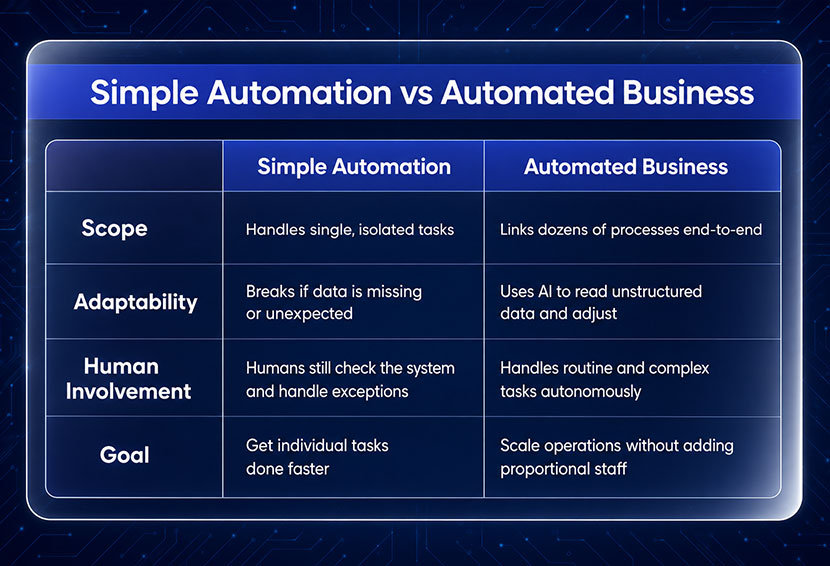
1. Scope & Execution
- Simple Automation: Usually handles a clearly defined, rules-based workflow with limited complexity, such as moving data between systems or triggering a predefined sequence.
- Automated Business: Connects multiple workflows and systems so broader business processes can operate consistently across departments.
2. Adaptability
- Simple Automation: Works fine until something unexpected happens. A missing field or an unusual input breaks the flow and puts it back in someone's hands.
- Automated Business: Built to handle messiness. AI reads contracts, interprets complaints, and figures out the next step even when the input isn't clean or predictable.
3. Human Involvement
- Simple Automation: People are still involved. The system handles the task, but humans watch over it, catch errors, and deal with anything outside the norm.
- Automated Business: The system runs multi-step jobs on its own. Your team only gets involved when something genuinely needs a human call.
4. Goal
- Simple Automation: Speed. Do the same tasks faster and stop losing time to small repetitive work.
- Automated Business: Build systems that can handle higher transaction volume without requiring staffing costs to increase at the same rate.
What Is the Real Cost of Staying Manual?
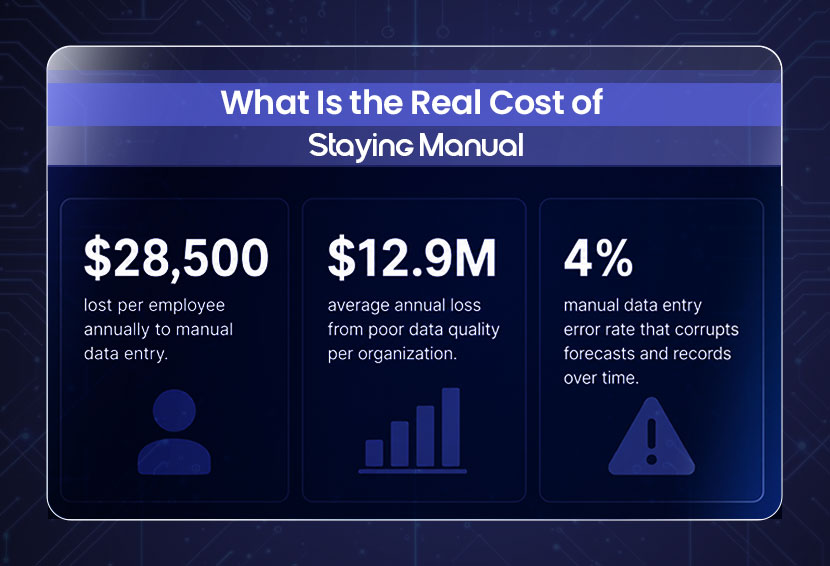
Manual data entry costs U.S. businesses an average of $28,500 per employee each year. That cost hides in hours lost, errors made, and decisions delayed. Gartner's 2020 research estimated that poor data quality costs organizations at least $12.9 million per year on average. And when your best people spend their week on repetitive tasks, they are not growing the business.
- Per-employee cost: A 2025 survey found manual data entry costs U.S. businesses an average of $28,500 per employee each year.
- Hidden spread: That cost never shows up as one line item. It spreads across hours lost, errors made, and decisions that take longer than they should.
- Data quality losses: Gartner estimates poor data quality costs the average organization $12.9 million per year.
- Error compounding: A 4% manual error rate does not just create rework. It corrupts forecasts, damages customer records, and leads to bad decisions downstream.
- Opportunity cost: When your best people spend their week on data entry and follow-up emails, they are not building the business. That time does not come back.
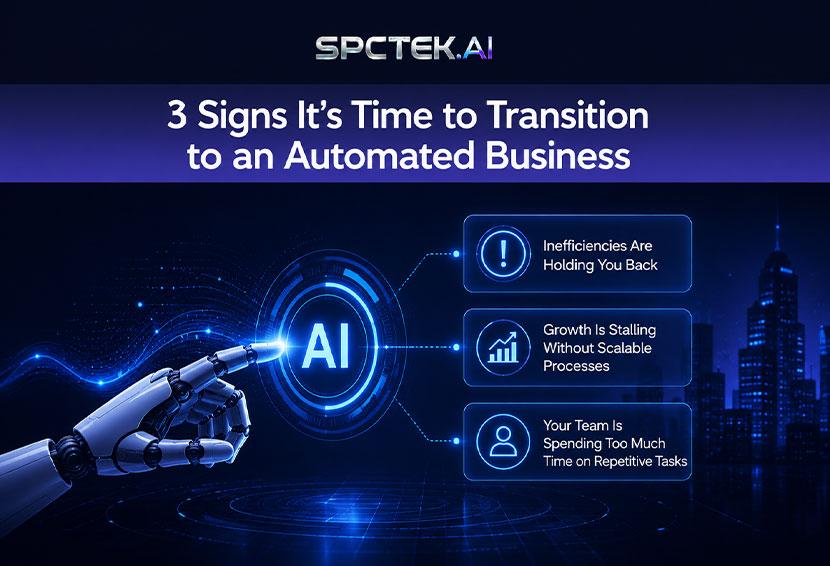
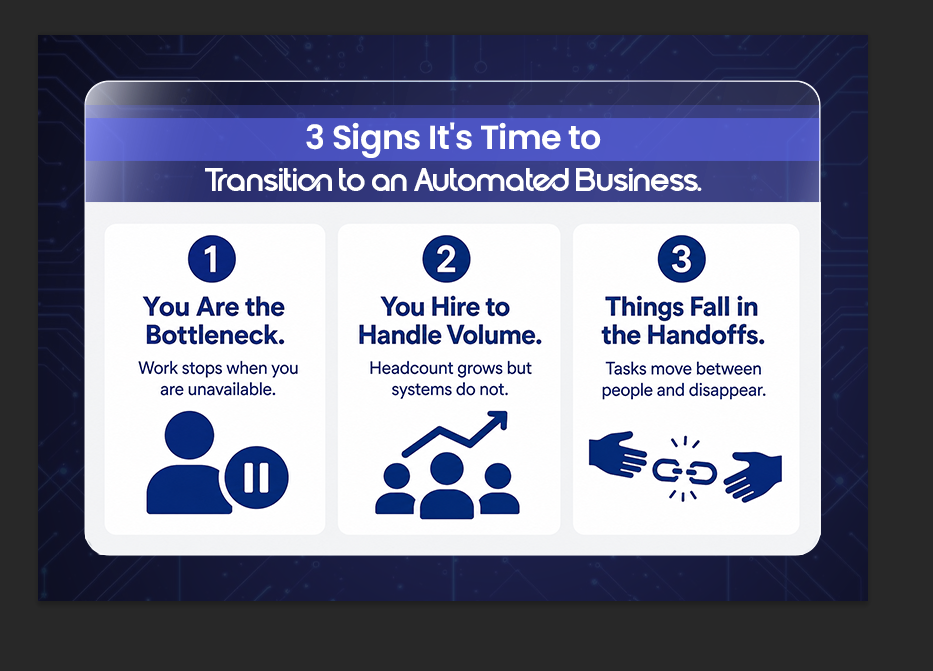
When should I automate my business: 3 Signs It's Time to Transition to an Automated Business.
You should start automating your business when routine tasks and administrative work take up more of your time than activities that help the business grow. If you find yourself spending less time on increasing sales, building customer relationships, or planning for growth, it may be time to automate. Identifying these signs early can help you save time, reduce stress, and increase revenue.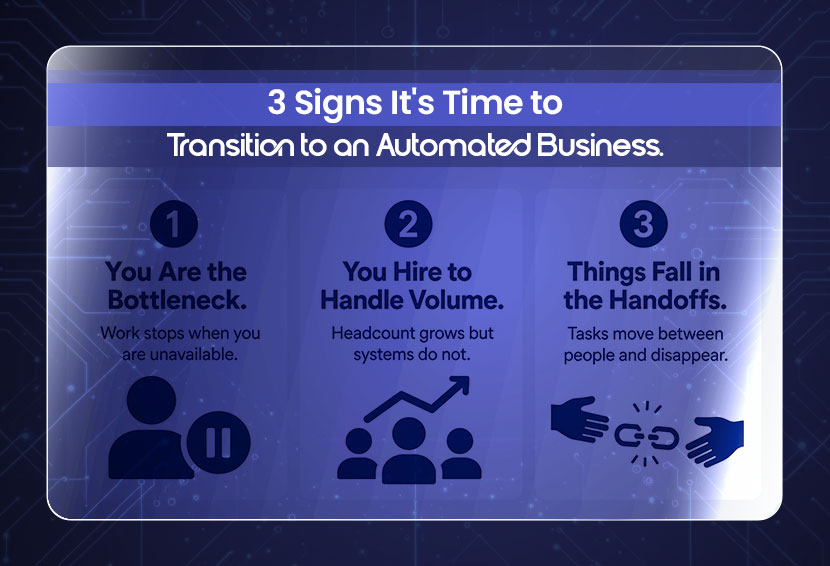
Sign 1 : You're the Bottleneck
If things stop moving when you're not available, that's the clearest sign. A meeting runs long, and three things are waiting on your approval. You take a day off and come back to a backlog. Your team is capable, but the process depends on you being in the loop at every step.
This is what outgrowing manual business processes looks like in practice. The problem isn't a lack of effort. It's gotten too large for a structure that requires one person to keep it moving.
When the answer to "what happens if I'm unavailable for a day?" is "things slow down or stop." Automation removes you from the middle of routine decisions, not from the business, but from the tasks that shouldn't need you.
Sign 2 : You're Scaling Headcount to Handle Volume
If every time the business grows, your first instinct is to hire, that's worth examining. Growth should eventually require more people. But if you're adding team members specifically to handle volume that a system could handle, you're paying for a workaround.
Small business automation breaks this pattern. The question isn't whether you should have a team; you should. It's whether your team's time is being used for the work only humans can do. Tasks such as routine invoice sorting, spreadsheet updates, and confirmation emails are often strong candidates for automation.
The obvious one is cost. But the quieter risk is that you build a team culture around repetitive work, and then struggle to shift it when you finally do bring in systems. The sooner the structure is right, the easier the team grows into it. Understanding which business processes to automate first makes this decision a lot easier.
Sign 3 : You Keep Losing Things in the Handoffs
A lead comes in and sits in someone's inbox for two days. A client sends a payment, and nobody updates the project status. A task is done, but no one communicates it to the next person in the chain. These aren't people problems. They're process problems.
For workflows involving unstructured inputs or more complex decisions, agentic AI can add another layer of flexibility. When one step is completed, the next one starts. No one has to remember. No one has to chase. If you regularly find your team asking "Did anyone handle this?" or "Where did that go?" that's the gap automation closes.
Before You Automate: Are Your Processes Actually Ready?
Automating a broken process doesn't fix it. It runs the broken process faster and at scale. If your sales follow-up is inconsistent manually, automating it will send inconsistent follow-ups to everyone automatically. If the underlying invoicing rules or data are wrong, automation can reproduce those problems at scale.
Before moving to business automation solutions, document what you actually do step by step. Not what you're supposed to do. What actually happens. That's the process worth automating. Clean it up first, then build the system around it.
How Do Automated Business Systems Improve Efficiency?
Automation and RPA reduce manual work by handling repetitive tasks consistently and accurately. This improves efficiency across finance, operations, and customer communication while giving teams more time for strategic work. It also provides reliable data and reporting, helping businesses make better decisions.
- Automation removes delays caused by manual work and repetitive tasks.
- In a manual business, performance depends on employees being available and organized.
- In an automated business, processes run consistently every time.
- Signs that you need RPA often appear in finance, operations, and customer communication.
- Any task that involves moving data between systems can usually be automated.
- RPA handles routine data transfers, allowing employees to focus on more valuable work.
- Automated processes help keep business data accurate and up to date.
- Reliable data makes reporting easier and improves decision-making.
- Business leaders can quickly see what is working because the information is accurate and consistent.
How to Build an Automated Business With Less Manual Oversight
An automated business is built by identifying repetitive tasks, creating clear workflows, and using automation tools to handle routine operations. With automated monitoring and regular optimization, businesses can reduce manual work, improve efficiency, and focus more on growth and strategy.
1. Identify Repetitive Tasks: Start by finding the tasks that are performed repeatedly every day. Activities such as answering customer inquiries, processing orders, sending invoices, scheduling appointments, and entering data are often the best candidates for automation. Automating these routine processes reduces manual work and improves consistency.
2. Create Standardized Workflows: Document how each important task should be completed from start to finish. Clear workflows make it easier to automate processes and ensure that tasks are handled the same way every time, regardless of who is involved.
3. Implement Automation Tools: Use automation software to connect the systems your business relies on. For example, a new customer inquiry can automatically create a support ticket, send a confirmation email, and update your customer database without requiring manual input.
4. Set Up Monitoring and Alerts: Automation does not eliminate the need for oversight. Create dashboards, reports, and notifications that allow you to monitor performance. This helps you quickly identify and resolve issues before they affect customers or operations.
5. Continuously Optimize Processes: Review your automated workflows regularly to ensure they remain effective as your business grows. Updating and refining processes over time helps maintain efficiency and prevents bottlenecks from developing.
6. Focus on Strategic Growth: Once routine operations are automated, you can spend less time managing daily tasks and more time improving products, expanding the business, and building stronger customer relationships. This allows the business to operate with minimal oversight while continuing to grow.
Can you recommend successful examples of self-running businesses?
Automation helps businesses like e-commerce stores, SaaS companies, and coaching services handle routine tasks such as orders, billing, scheduling, and customer communication with minimal manual involvement. This allows owners to focus on growth and service delivery.
- E-commerce stores: They are the most visible example. Inventory updates, order confirmations, shipping notifications, and return processing all run without staff involvement. A solo operator can handle hundreds of orders a week.
- Subscription-based SaaS companies: They run billing, onboarding sequences, and churn alerts automatically. The customer signs up, gets access, receives a welcome sequence, and if they don't log in for 14 days, a re-engagement email goes out, all without anyone deciding to send it.
- Coaching and consulting businesses: They use automation for scheduling, intake forms, payment collection, and session reminders. The coach shows up to the call. Everything before and after is handled by the system.
Can you recommend the best tools for automated business processes?
You don't need an expensive tech stack to start. Many automation platforms allow small teams to build basic integrations without traditional development, while more complex workflows may still require technical expertise. For businesses looking at small business automation on a budget, start with the one area that costs you the most time and fix that first. One working system beats five half-built ones. Notion + Make or Airtable + Zapier work well for internal operations, task management, project tracking, and team notifications.
- Make (formerly Integromat) and Zapier: They are the most common entry points. They connect your existing apps so data moves between them automatically. A form submission creates a CRM contact, which triggers a welcome email, which notifies your team in Slack, all from one action.
- HubSpot: It works well for marketing and sales automation if you want everything in one place. Pipelines, emails, and follow-up sequences all live in the same platform.
- GoHighLevel: It is built for agencies and service businesses. It handles CRM, SMS, email, booking, and pipeline management in one system.
If you want to understand exactly how much manual labor is costing your business before picking a tool, this breakdown on reducing operational costs through automation is worth reading first.
Conclusion
The decision to move toward an automated business isn't about keeping up with trends. It's about building a structure that lets the business work without everything depending on who's available and how organized they are that day.
If you're the bottleneck, if you're hiring to handle volume a system should handle, or if work keeps falling through the gaps between people, those are your signs. The cost of staying manual is real, and it grows as the business grows. Start with your most repetitive, highest-volume process. Get that running cleanly and then build from there.
FAQs
Q: What is an automated business?
An automated business runs its core operations through connected systems. Orders, invoices, follow-ups, and routine communications happen automatically. People focus on the work that actually needs judgment.
Q: What is the difference between simple automation and an automated business?
Simple automation removes individual manual steps. An automated business has end-to-end systems where one completed step triggers the next automatically, across the whole operation.
Q: When should I automate my business?
When you're the bottleneck, when you're hiring just to handle volume, or when work gets lost between team members. Any of those three is enough of a reason to start.
Q: What are the risks of manual scaling?
Cost is obvious. The quieter risk is building a team and culture around repetitive work that systems should be doing, which makes the eventual transition harder and more disruptive.
Q: How much does manual data entry cost in 2026?
According to a 2025 survey, manual data entry costs U.S. companies an average of $28,500 per employee each year. That's before accounting for the downstream cost of errors those entries produce.
Q: What are some successful examples of self-running businesses?
Common examples include e-commerce stores, SaaS companies, and service businesses such as coaching or consulting practices. All three use automation for the operational work while keeping humans involved in relationships and decisions.
Weekly Newsletter
Scale Without Operational Chaos
Get weekly actionable insights and AI updates to improve operations and grow with better systems.
2,400+ operators subscribed
Unsubscribe anytime